How to Turn One Blog Post Into Six Pinterest Pins
My routine for turning one blog post into six Pinterest pins: find your angles, rotate templates, write short descriptions, and make a video pin without filming.
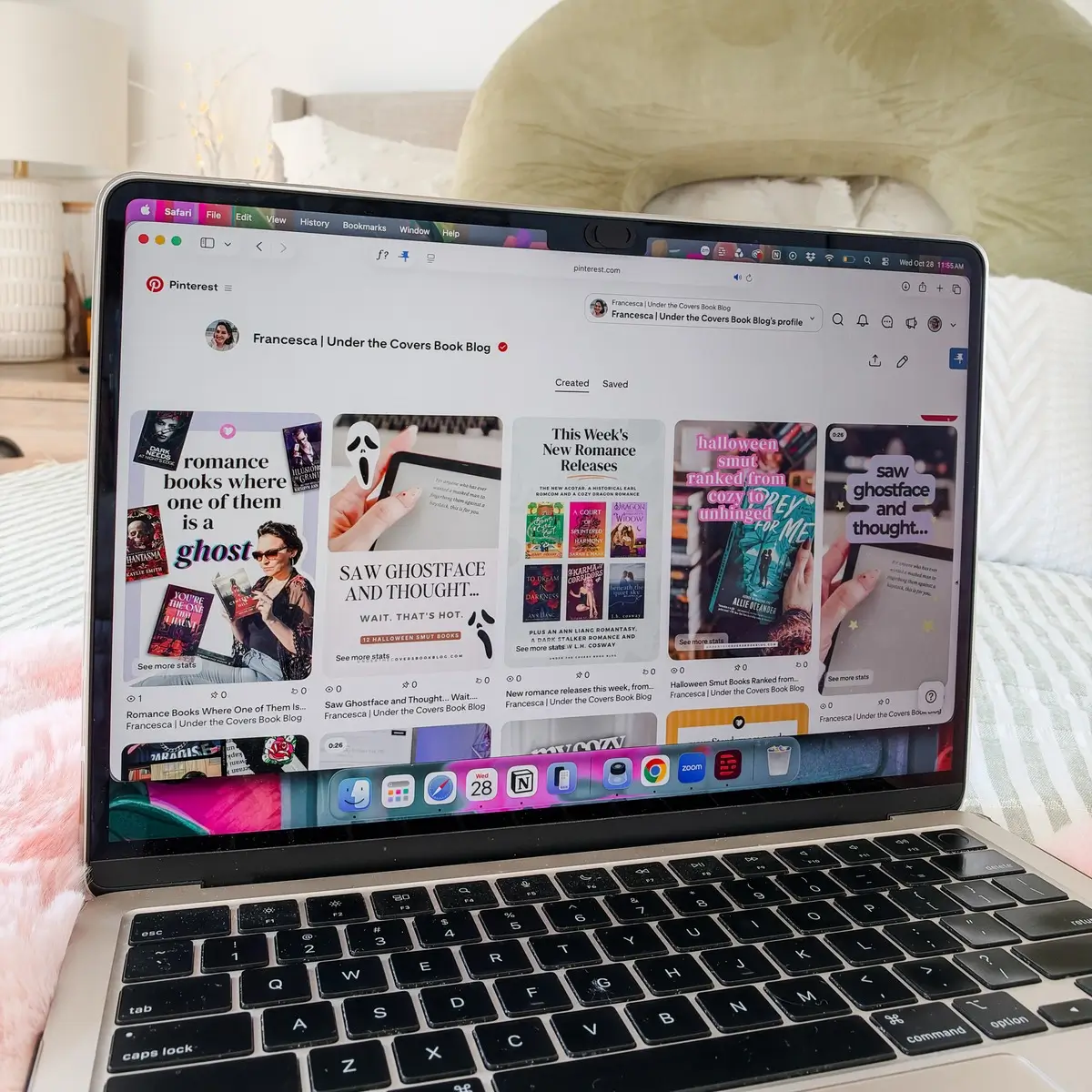
Making Pinterest pins for blog posts gets a lot easier once you see every post as a whole set of pins, each one another way for someone to find you. Since September, my routine has been five image pins and one video pin for every post, posted about a week apart. That’s six chances to reach six different readers, all sending traffic to the same post.
I walked through this process during one of our live coworking sessions on YouTube. If you want the bigger picture first, start with Pinterest for bloggers: what’s working right now.
Find your angles before you design anything
The best time to come up with your pins is right after you finish the post, while everything is fresh. Even better, sketch a few while you’re still planning it. Sometimes an angle shows you that the post needs one more short section to serve a different reader.
Each angle is a hook. Think of it the way you’d think of a caption on social media: it’s the reason one specific person stops and thinks “that’s for me.” As Victoria put it on the live, your hook needs to be what’s in it for the reader.
Different readers give you different pins. You’d talk to a Gen Z reader differently than you’d talk to a boomer, even if the post helps both of them. I did this with a pin about a TV show I first watched in the 90s. One pin asked people who were there whether they remembered it. Another introduced it to younger readers who missed it the first time. Same post, two pins, two audiences.
Victoria’s rule is to keep each pin to one idea. A post might round up 40 weeknight dinners, but the pin works better as one specific thing, like a 15-minute dinner made from pantry staples for a picky four-year-old. The post can be the big list. The pin is one way into it.
The kinds of pins to make
For each post, aim for a mix:
- Benefit pin: leads with what the reader gets.
- Story or behind-the-scenes pin: leads with your own experience.
- List pin: a few steps, tips or ideas from the post.
- Save-for-later pin: a checklist or quick reference with the useful information right on the image.
- Photo-forward pin: mostly picture, with little or no text.
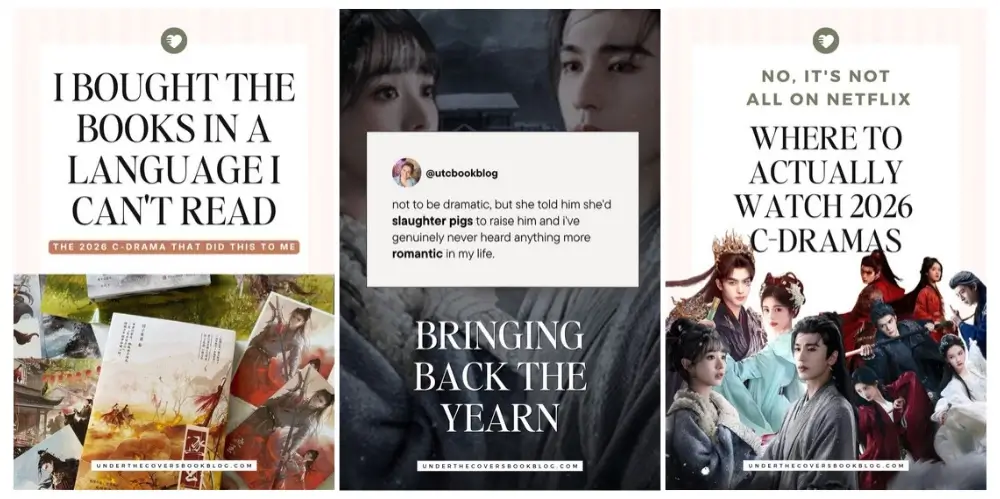
That photo-forward one has been working well for Victoria, my cohost. She posts Instagram-style photos resized to pin dimensions with no text at all, just the link. Unless the photo explains itself, like a nail color, most of your pins will want some text, so leave a clean corner in the photo when you take it.
Design: templates and your own photos
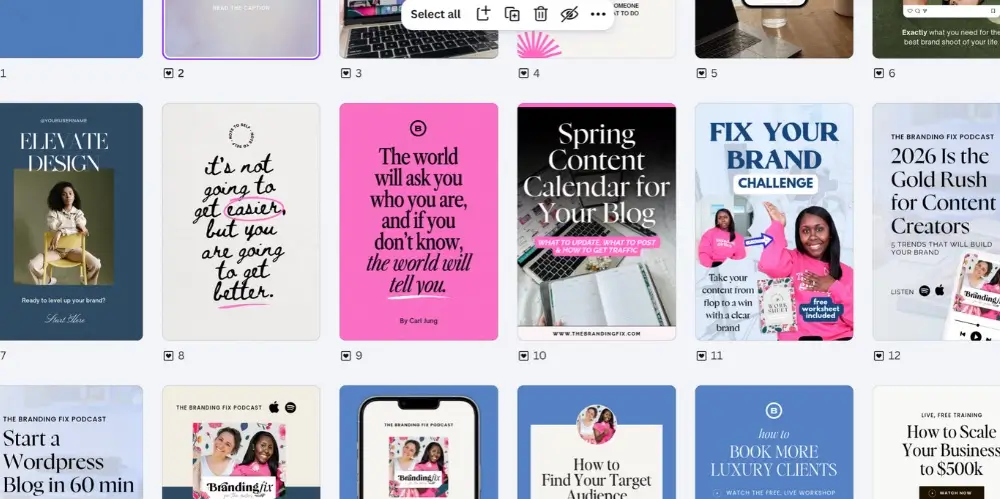
I rotate through about 20 Canva pin templates I’ve tested over time. I never use the same template twice for the same post, even when the text is different, because every pin needs to look like a new pin. For each one, I pick a template, swap in the photo and change the text.
Skip the pin template packs people sell. To see what’s working, search Pinterest itself for the topic you’re pinning about and look at what shows up first. Those are the pins doing well for that search. Turn on the setting to hide AI images before you do this, so you’re looking at real people’s work. Then put your own spin on it.
Small details make a big difference. Victoria has tested the same flat lay with and without a cup of tea or coffee in the frame, and the version with the drink does better. Where the text sits, whether there’s enough white space, whether the text color fights the background: tweak one thing at a time and see what changes.
Use your own photos for all of it. Your desk, your shelf, your kitchen. If a product is part of the post, you can include product images too, as long as the pin still feels like a real person made it.
Titles, descriptions, alt text and boards
Pinterest is a search engine with pictures, so your words still matter. Write them for a person first:
- Descriptions: two or three short sentences. Say what the post is about, use the words someone would search, and give them a reason to be curious. A short description works fine. One of our live regulars made a digital product sale from a pin with a one-sentence description.
- No keyword stuffing. The more you write, the more likely you are to drift into keywords that don’t belong.
- Every pin gets its own title and description, even when six pins point to the same post.
- Alt text describes the image. If your text hook already includes a keyword, it’ll show up naturally when you describe it.
- Boards get searchable names and descriptions.
Victoria’s reminder: your Instagram captions won’t carry over as they are. Instagram rewards a conversational caption, and Pinterest wants something more direct and much shorter.
The lazy way to make a video pin
Video pins don’t need you on camera. I made a Canva video template for this. The first slide is very short: a background photo with a text hook, which acts as the cover of the pin. After that, a generic background video plays while text and graphics pop in at different points on the timeline. For each new pin, I change the text and images and keep the same background video.
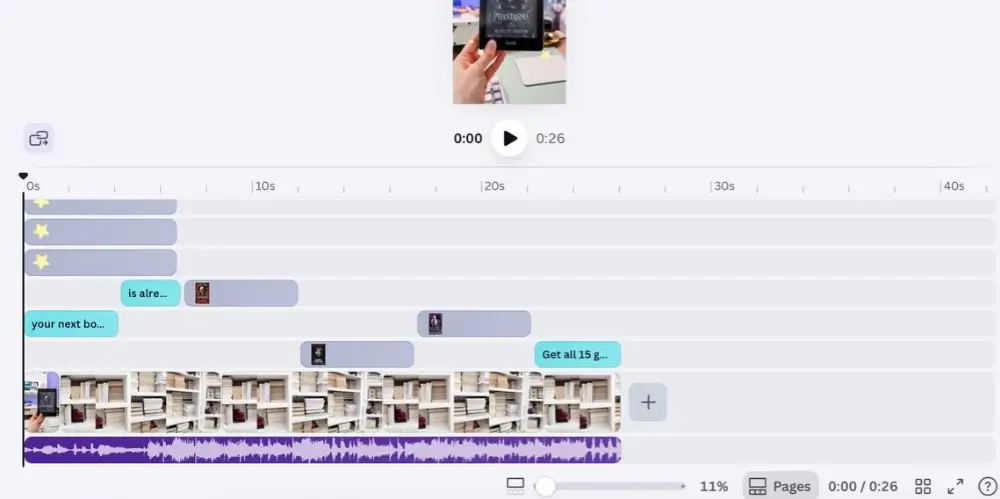
I know these would do badly on social media, and they do fine on Pinterest. Victoria does something similar with B-roll: pouring a coffee, writing in a notebook, the same clips reused with new text on top.
Victoria’s advice is to imagine nobody is listening on Pinterest, so put text on screen even when nobody is talking. If you are talking, add captions. Vertical videos you’ve made for social can go on Pinterest too, with a new title and description.
Try collages
Pinterest says people are three times more likely to save a collage than other pins, and few creators are making them. You build them in Pinterest’s collage builder from pins you’ve already posted, and each piece of the collage keeps its own link. One collage can send people to several posts. I haven’t used them much yet and plan to test them in the new year.
How to space out your pins
I post one pin per blog post a week, sometimes stretching it to every two weeks, and squeezing them closer together when a post is seasonal and I want the pins up in time. Victoria sometimes goes slower: twelve pins for one post, one a month, gives that post a full year on Pinterest.
Whatever pace you pick, never post two pins to the same link on the same day. Mix in pins for older posts so you can keep a steady daily pace without crowding any single link.
Pin seasonal content ahead of time, and don’t panic if you’re late. A good pin posted at the end of a season is still searchable when that season comes back next year.
Final thoughts
Once you start thinking in angles, one blog post gives you more pins than you’ll have time to make. Pick your angles, rotate your templates, use your own photos and keep a pace you can stick with.
If you’d like a system for the posts themselves, our 12-week content challenge for bloggers pairs well with this. And if you’re not sure which topics your boards should cover, the free Fix Your Brand Challenge will help you find your brand pillars.
FAQ: Pinterest Pins for Blog Posts
I make five image pins and one video pin for each post. You can make more, as long as every pin has a new image, angle, title and description.
I space pins for the same post about a week apart, and never post two to the same link on the same day. Test what works for your account.
In my experience, video pins get more reach and image pins get more outbound clicks. Reach still helps your whole account, so include video and always add a link.
No. Search Pinterest for your topic and look at the pins that show up first. Start from the angles you already had in mind when you wrote the post.
Pin it for later